
Introduction
This spring, Facebook launched the Messenger platform, making it possible for developers to connect their systems with the more than 900 million people around the world who use Messenger.
By default, hybris uses email communication as the only channel to communicate with customers. However, channels such as Messenger or SMS are very reasonable for e-commerce because they make the customer experience nicer and more convenient.
Messenger allows customers to communicate with an online store quickly and effectively, without the delays associated with email.
In my PoC, when a customer makes a purchase, the conversation begins via Messenger. The customer receives a notification that is delivered instantly. I demonstrate that automated updates are sent directly to customers through Messenger, allowing them to track order status and ask questions all in one place. Messenger makes it easy to answer questions about orders and invite your customers to check out related products.
Basically, Messenger can easily be replaced with any other IM software that has an appropriate API:
- Google Hangouts,
- Slack,
- Telegram,
- and so on.
Solution
In the video, I demonstrate the following:
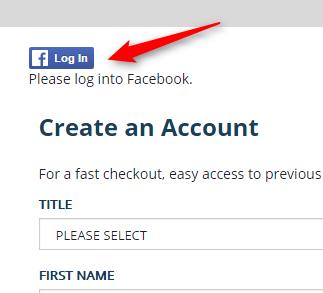
One-click Facebook authentication in hybris:
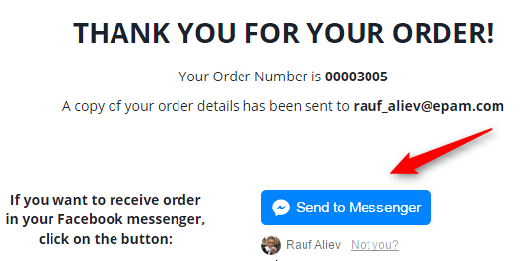
At the final step of the checkout flow, there is a button, “Send to Messenger,” that enables notifications via Facebook Messenger:
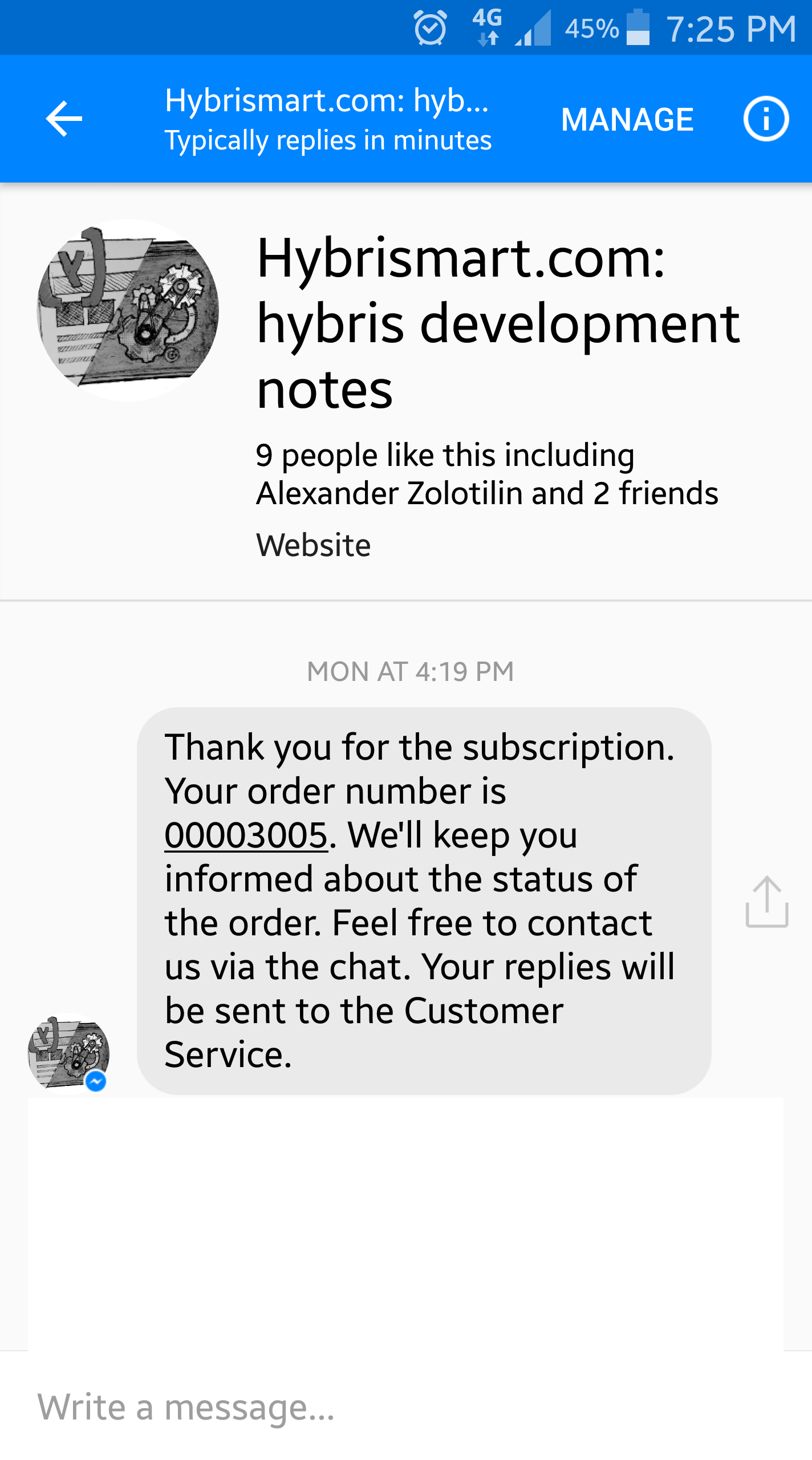
Once you click this button, you will receive the message:
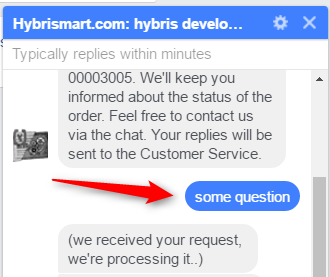
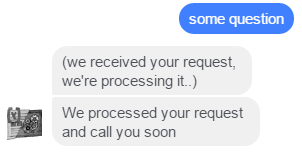
I demonstrate two-way communication. For example, the customer may ask something just by replying to the message. In my demo, that is the message “some question”. The system replies immediately with the message “we received your request, we’re processing it”. In fact, the message is delivered to hybris as a ticket linked to the order and the customer.
I demonstrate that the ticket is created and that this ticket is linked to the order and customer:
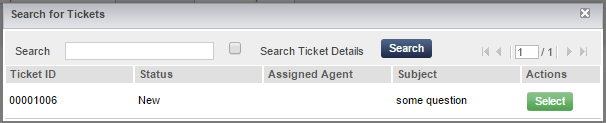
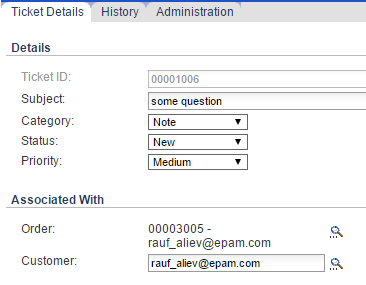
Using tickets for the messages is just an example. For the real system, any other channel or functionality might be leveraged.
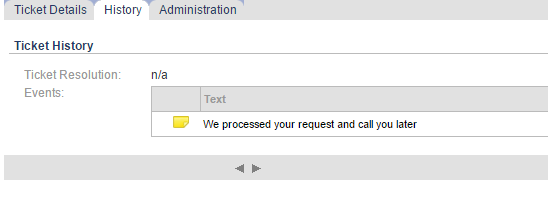
I demonstrate that once the customer service agent adds a note to the ticket, the note is delivered back to the customer. In fact, it is just an example. You can use any other events like updating the order status or customer data, or something else relevant to the order and the customer.
Chat window:
Video
Limitations
We get page-scoped user IDs from Messenger, so we can’t match existing users with their app-scoped user IDs, even though we are using the same FB App for Facebook Login and Messenger Bot integration. There are some ways to match Messenger users and Facebook users, but they are outside the scope of this topic.
Facebook Documentation: The ID must be an ID that was retrieved through the Messenger entry points or through the Messenger webhooks; for example, a person may discover your business in Messenger and start a conversation from there. These IDs are page-scoped IDs (PSID). This means that the IDs are unique for a given page. If you have an existing Facebook Login integration, user IDs are app-scoped and will not work with the Messenger platform.
There are rate limits in Facebook Messenger to prevent malicious behavior and poor user experiences. Direct advertising is not welcome. If you send upsell or cross-sell offers, you may expect some consequences if customers make a complaint.
There is a length limit for text messages. The messages must be UTF-8 and have a 320-character limit.
Technical details
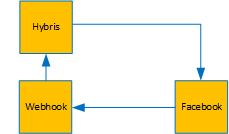
Webhook is a module that serves as a listener for Facebook requests. Once the customer sends a message, Facebook makes a request to the Webhook module. This module sends responses as well.
When the customer enables order updates by clicking the blue button at the final step of the checkout, the Webhook receives an authorization message from Facebook. Webhook makes a request to hybris for information about the order and sends it back to the user. See the example above, with the thank-you message in the chat. In my PoC, the order number is injected into the code, but for a real system, this value should be encrypted to avoid receiving information about someone else’s orders.
<div class="fb-send-to-messenger"
messenger_app_id="855289644608024"
page_id="1262635023749717"
data-ref="${orderNo}"
color="blue"
size="xlarge"></div>
This code displays the blue button.
Webhook knows about the recipientID, the unique ID of the user for this particular page. I link this ID with the userID when the customer enables messaging, so for the next messages, this ID will be used to specify the recipient of the message.
© Rauf Aliev, September 2016
Discussion
Powered by GitHub Discussions — sign in with a GitHub account to join the conversation.