
It all started with the idea of making the built-in FlexibleSearch console more convenient for a developer. It is common to find ourselves forgetting the name of an attribute or its type. Imagine my surprise when I found traces of this feature in the HAC source code. SAP left them unfinished and probably abandoned. For example, for the Impex console, suggestions are basically implemented and almost ready, but for some reason, they have not been completed or enabled.
In this article, I’m filling this gap and documenting how to enable auto-suggestions in the Impex console. Additionally, I introduce my custom solution for FlexibleSearch suggestions and autocomplete.
I learned from the OOTB code that there was an attempt to add suggestions to the scripting console (Groovy/Beanshell/JS). I decided not to fix those suggestions because half-measures wouldn’t add much, while a proper solution would take weeks to months to implement. So I have confined my fixes only to Impex and FlexibleSearch.
Impex Suggestions in HAC
What may come as a surprise to you is that autocomplete is already implemented in the Impex Editor, but it does not work out of the box. Why? Because the OOTB AJAX call to the type system endpoint doesn’t include the CSRF token (impex-hint.js). To fix it, add the following fragment to the headers section in the getContentTypes method:
headers: {
  'Accept': 'application/json',
  'X-CSRF-Token': $("meta[name='_csrf']").attr("content")
}
After fixing it, the suggestion mechanism will be enabled in the code editor. To call it, use the hotkey “Ctrl-Space”.
Press “Ctrl-Space” to see the context menu:
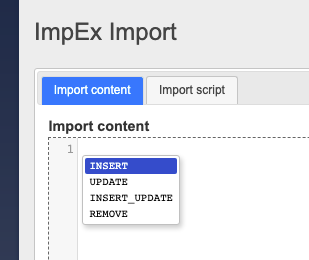
Each Impex statement starts with the command qualifier. In the popup window, we can see a list of available commands. To autocomplete the type name, you need to press Ctrl-Space again. HAC will make a request to the server to fetch all available types starting with what you typed.
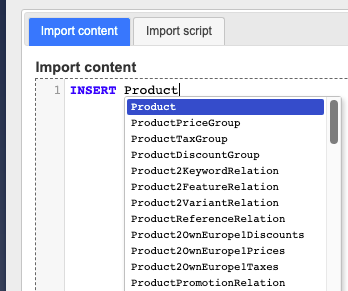
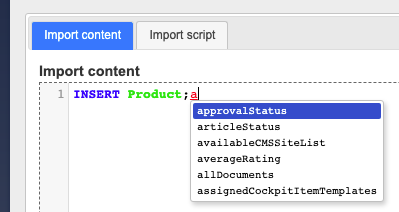
Start typing an attribute name and press Ctrl-Space again. In the popup, you will find the names of the attributes relevant to the Product. Click any of them to pick the suggestion.
If you hover the mouse pointer over the variable, you will see the replacement for the variable. Of course, you can’t see the actual value, but for some scenarios, it is helpful.
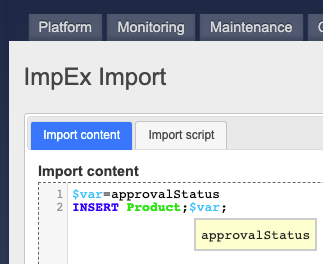
The variables are also involved in the suggestion mechanism:
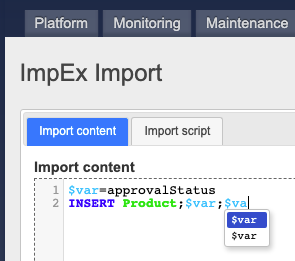
It is hard to say why we see two $var entries instead of one, but we are still dealing with an undocumented feature. The good thing is that it just works.
The suggestion mechanism supports attribute modifiers:
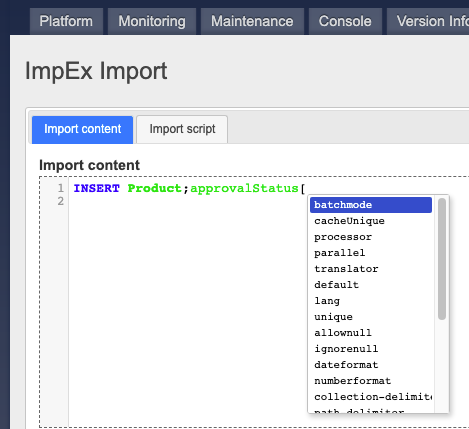
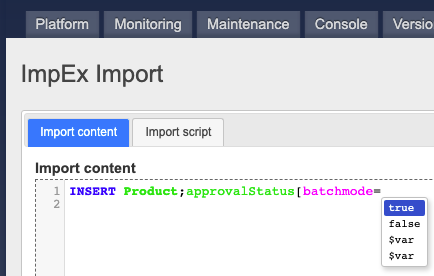
That’s pretty much it.
So everything is great. In fact, it is hard to add anything else on top of what is already provided.
Dear SAP, I hate to be a nag, but one point needs to be improved if possible. The current implementation can’t understand the context under the cursor as well as it could. If you put the cursor in the middle of batchmode and press Ctrl-Space, the system will create a mess:
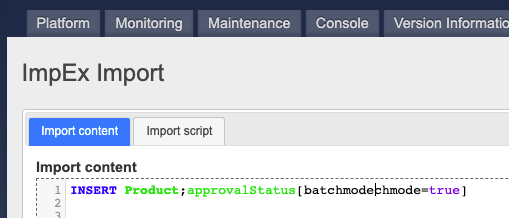
However, it is not a big deal. Once you learn this, you can stop calling auto-suggestions from the middle of a word. Do you remember Steve Jobs’s line about the iPhone 4 antenna issue: “avoid holding it in this way”? Just don’t press Ctrl-Space in the middle of a word! 🙂
Flexible Search Suggestions in HAC
Unlike Impex suggestions, the FlexibleSearch console is not equipped with this feature. More specifically, it is present in some form, but it does not work. It seems to be unfinished or abandoned.
My implementation
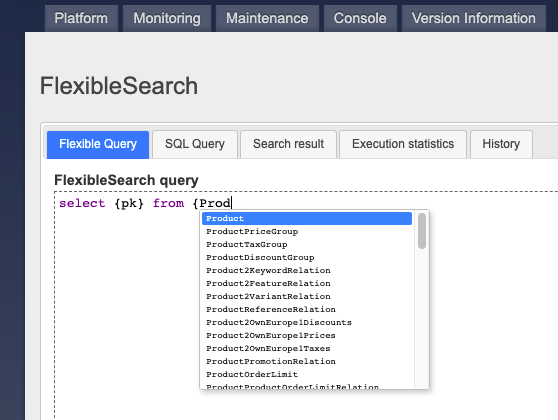
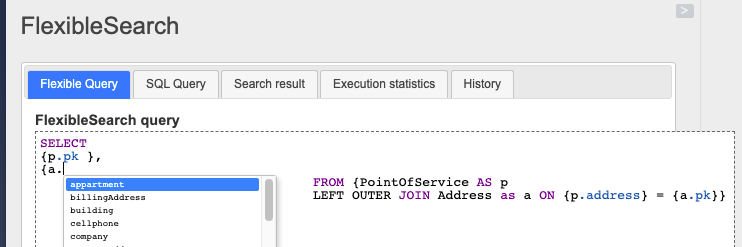
In my implementation, the autocomplete is contextual. You don’t need to press “Ctrl-Space” each time to see the suggestions. In the following example, the contextual menu was shown right after I had entered a curly brace and started typing “Product”.
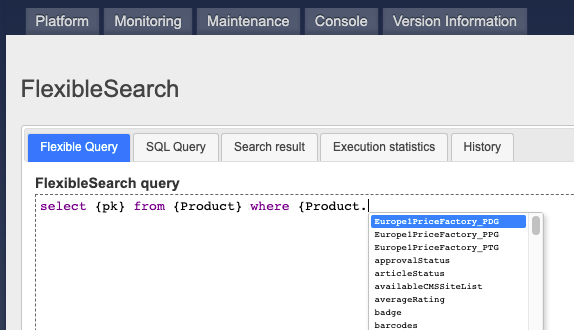
The system behaves similarly when you add a “dot” symbol to the type. The attributes on the list are the Product’s attributes.
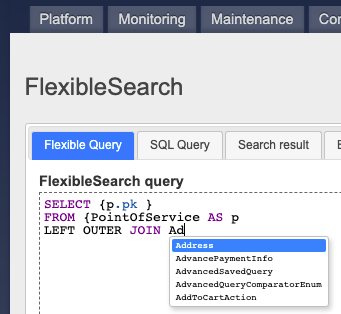
It also supports JOINs, where a type name is not enclosed within curly braces:
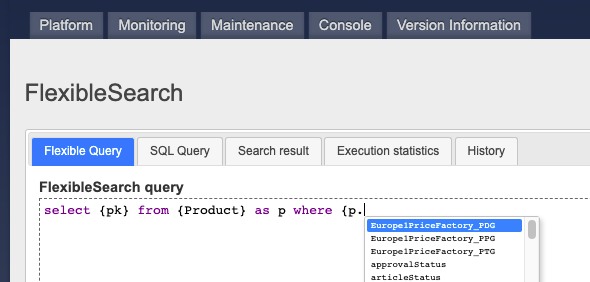
It also supports aliases for types:
And joins:
Implementation and Technical Details
SAP uses CodeMirror 3.11. This version was released in March 2013.
Since 2013, CodeMirror has been significantly updated. The latest stable release is 5.58.3. So the version used by SAP Commerce is 135 releases behind the latest release with the original API. The latest version is CodeMirror 6, which is completely rewritten and not compatible with the original one.
The auto-suggestion mechanism is based on CodeMirror hints. The list of suggestions for types and attributes comes from the service already present in SAP Commerce but not used.
Source code
https://github.com/raliev/hacautosuggestions
Disclaimers
This mechanism is designed only for local and development environments. Don’t use it on a live system.
Discussion
Powered by GitHub Discussions — sign in with a GitHub account to join the conversation.