
Barcodes are machine-readable symbols that store identifying data about the part or product with which they are associated. Basically, a barcode is a paper-based hyperlink that connects the physical world with the online world. This article explains everything you need to know about barcode reading and generation in hybris, as well as my thoughts on integrating it into hybris Backoffice.
In e-commerce, barcodes are mainly used for:
- inventory management
- ready-to-pick-up emails
- discount coupons ready to use in offline retail
The last two processes are shown in the diagram below. Barcodes help users deliver a code, such as an order number or coupon number, to a physical store. We’ll focus primarily on these applications of barcodes, as they are specific to e-commerce.
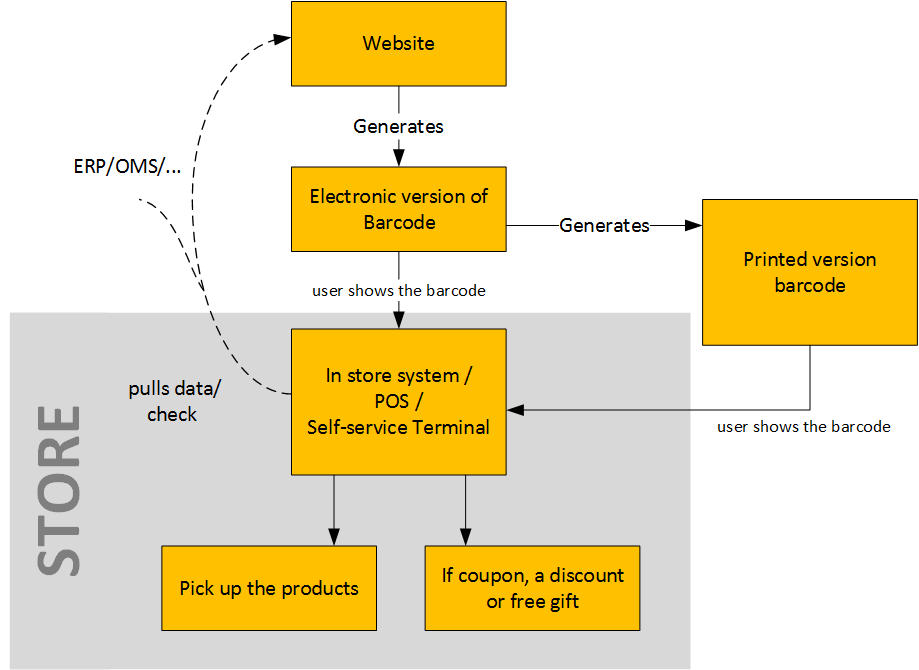
Barcodes are used as a form of virtual ticket that you can print from your PC at home, show on your phone screen, or present in printed form to gain access to data, bus tickets, train tickets, promotional coupons, a venue, or something valuable, such as picking up orders in a store.
Integrating a barcode reader into Backoffice
The best and recommended way is to use barcode scanning devices, starting from around $100. They generally work as a keyboard wedge between the PC and its normal keyboard, or as a USB device. If you have a serious reason not to follow this advice, develop your own desktop or mobile app based on existing libraries and frameworks, and use a mobile phone as a reader. If you have serious reasons not to go this way either, you can try the budget solutions explained below.
Disclaimer! Remember that there’s no such thing as a free lunch! The following apps are good for proof-of-concepts and demonstrations, but not for a full-scale solution at the core of your business. Even if they work reliably today, nothing is stopping the authors from unpublishing the apps at any time.
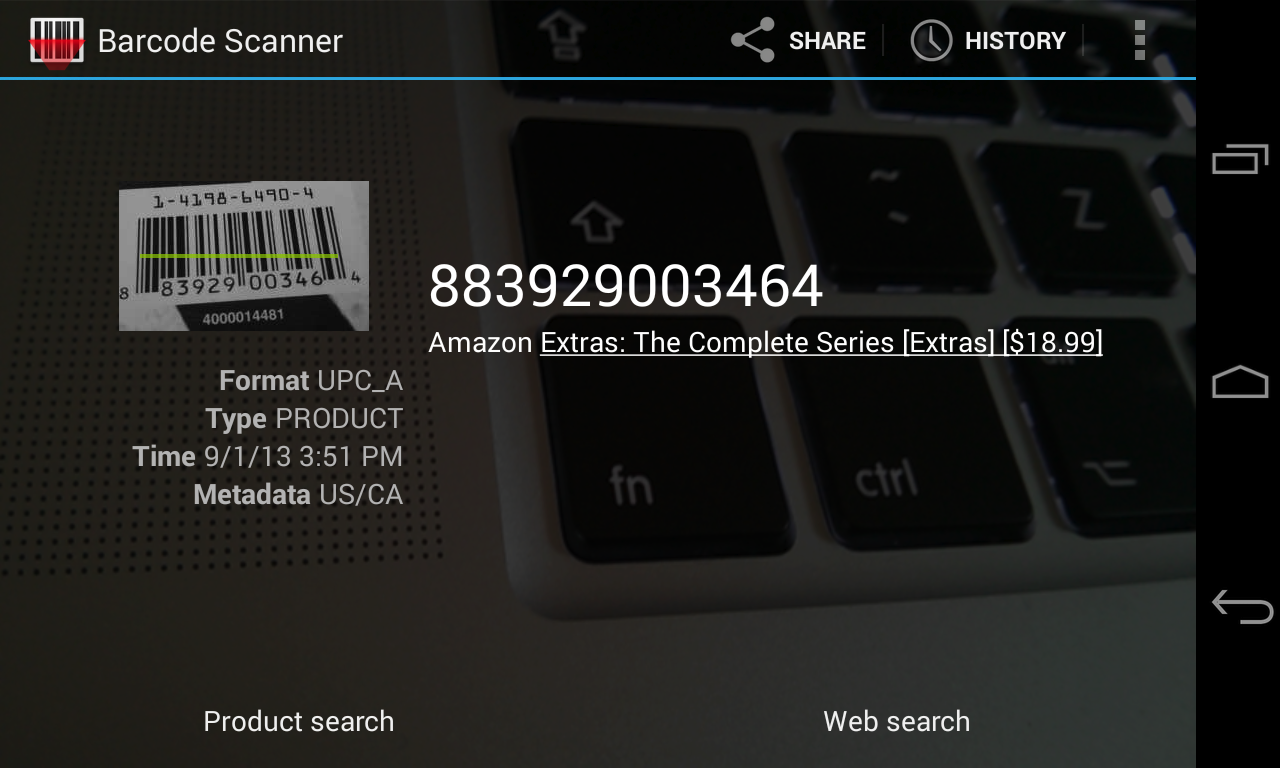
You will need two apps installed on your Android phone: BarCode Scanner (free) and ClipSync (free). You will also need to install a ClipSync server (freeware). The first app recognizes the barcodes, and the second app transmits the code to your PC in the background. All you need to do on your PC is press Ctrl+V. This solution works on Windows only. Make sure your device’s camera supports autofocus.
Another interesting solution is QuaggaJS. Using this library, you can read barcodes with an external webcam connected as a USB device. Take a look at the demo pages to get an idea of what this project is all about. Keep in mind that non-autofocus webcams may not work with any barcode scanner because of the poor quality of captured images. It is not just a simple scanner, but a scanner equipped with localization mechanisms to find a barcode in real time. The core parts of QuaggaJS are made up of computer vision algorithms. There are two modes in which Quagga operates: 1. analyzing static images and 2. using a camera to decode images from a live stream.
Here is a very interesting article on how barcode localization works in QuaggaJS.
There is another implementation in JavaScript (http://eddiela.github.io/JOB/), under the MIT license and free for commercial use. It supports reading Code 128, Code 93, Code 39, Standard/Industrial 2 of 5, Interleaved 2 of 5, Codabar, and EAN-13 barcodes.
For QR codes, you can use WebQR (demo / GitHub).
Generating barcodes
The best and recommended way is to use third-party Java/JavaScript libraries for generating barcodes.
For example, ZXing 3.3.0 / BarcodeJ. If you have any reasons not to code at all, you can try the free service Barcodes For Me. It generates a barcode on the fly, at the time of the request; you need to create a proper URL.
For example, the URL for the following image is:
www.barcodes4.me/barcode/c128a/Rauf%20Aliev%20barcode.png?width=250&height=100&istextdrawn=1
JsBarcode is also a great library. It has an MIT License, so you can use it in commercial projects as well. Unlike the previous libraries, this one generates vector SVG images.
Hybris OOTB solutions for barcodes
There is a module called “mobileservices” in hybris. It provides the functionality for decoding barcodes, “Code2Service” (documentation). The module supports QR and DataMatrix barcodes. For DataMatrix, it supports encoding only.
Hybris uses the ZXing library for generating and decoding QR codes. However, this version, 1.3, is too old: it was released in 2013, four years ago.
The current version is 3.3.0. It supports an extended set of barcode formats and is bug-fixed and stable. So consider updating the library that comes with hybris to a new version.
For DataMatrix codes, hybris uses BarcodeJ. However, hybris uses only a small subset of this library’s capabilities. I found comments in hybris saying that the DataMatrix library “fails to decode non-alphanumeric characters” and “The errors produced, varies with the encoding string. The longer the string, the worse results.” So take this into account.
Security issues
Barcode ticket security is a growing issue, and we get asked about it all the time. There aren’t any standards yet for preventing unscrupulous individuals from altering the tickets that are issued.
As the value of barcode entitlements goes up, more people will take an interest in copying, altering, or regenerating valuable barcodes. Without security, the ticket cannot serve as proof.
Ideally, barcodes should contain just a number, such as an order number or coupon number, and their validity should be checked against a database of known numbers. This database reveals all of the extra order or coupon details, possibly including ID information about the legitimate user of the ticket, which might be checked in high-value situations. The problem with this approach is that your checking systems must have up-to-date access to the ticket database, ideally near-real-time access. Sometimes this is challenging, for example, for event tickets.
If your POS system relies on scanners being connected to the internet to access a central database and check every barcode, then you may have issues with validation speed and, therefore, the throughput of your entry systems. Additionally, your whole system could become useless because of a single point of failure or connection.
So if we go this way, the barcode is no more than a representation of the order number, and you need to conduct additional security checks before handover. If you use self-service terminals, the system can be hacked with a set of preprinted QR codes with different order numbers. To avoid attacks, I recommend using unique salted hashes instead of simple sequential numbering.
If you can put all of the purchase details into a QR code, then an offline system can scan it and instantly know what the entitlement is without accessing a database. It can work for tickets, for example. However, this approach requires public/private key cryptography. This approach is good for online ticketing systems. For regular e-commerce, it looks like overkill.
Never put sensitive information into a QR code. A QR code should contain only a reference from which this sensitive information can be retrieved by a system with the proper permissions.
To avoid replay attacks, you need to keep a database of issued barcodes and their values. When a barcode is redeemed, the database must invalidate that code. This approach can be implemented via item statuses. It works best if your system is online and synchronous, where codes are atomically applied and cancelled. It is also possible to limit the window during which codes can be reused in a batch-processing-based system if the terminals cannot be online, though any use of a code between when it is first redeemed and when that redemption is copied to other systems is a risk. This case is common for coupons issued online and supposed to be redeemed offline.
Some codes have strict limitations on the character set and message length. You need to test this well before going live.
Finally, you need to have a backup plan for cases when the barcode is not readable.
Forms of barcodes
Over the years, different forms of barcodes have been developed to help businesses around the world.
These include:
- 1-D linear barcodes
- 2-D matrix codes
- Postal codes
- Stacked linear barcodes
1-D linear barcodes
- All the information in the code is organized horizontally in bar and space widths and read left to right by a scanner.
- The height of the code varies based on the space available on a product and the ability of a barcode reader to read a small or large barcode.
Code 128
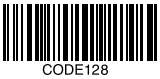 multi-width, alphanumeric
- a more recently introduced
- the most robust 1-D barcode type.
- The number 128 refers to the ability to hold any character of the ASCII 128 character set: all digits, characters, and punctuation marks.
- Typical usage: logistics
Code 128: UPC-A
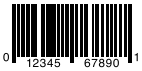 UPC means Universal Product Code.
- The most common and well-known barcode used in the United States.
- Encodes 12 digits of data.
- The first digit is the number system character, followed by a 5-digit manufacturer number, a 5-digit product number, and a final check digit.
- UPC-A is primarily used in retail.
Code 128: EAN-13
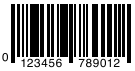 European counterpart of the UPC-A symbol.
- Encodes an extra digit of data to make a total of 13.
- The first two digits identify a country, and the check digit is the last number of the second group of six digits.
Code 128: UPC-E
 Used in the U.S.
- Condensed variation of a UPC-A barcode, eliminating “extra” zeros from the digital data.
- Generally used on very small packaging where space is limited.
Code 128: EAN-8
 EAN equivalent of UPC-E, in the sense that it provides a short barcode.
- Set in two groups of four numbers, it is composed of two flag digits, five data digits, and one check digit.
- Primarily used on small packaging where space is limited.
Code 39, aka “3 of 9 code”
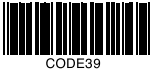 Variable-length barcode.
- Self-checking, so a check digit normally isn’t necessary, but is recommended.
- Ability to encode up to 43 numbers, letters, and other characters.
- Widely used, especially in non-retail environments.
Code 39 Extended version
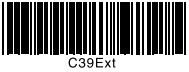 Combination of two standard Code 39 characters to encode every one of the 128 ASCII characters.
- Allows for special characters, such as lowercase letters.
- The more special characters that are used, the longer the barcode will become.
- Most barcode readers will not automatically read Extended Code 39 without custom configuration.
Code 93
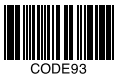 Designed to encode data more compactly and with higher data redundancy than with older multi-length barcode types such as Code 39.
Codabar
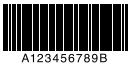 Discrete, self-checking barcode that allows encoding of up to 16 different characters, plus an additional four special start and stop characters, which include A, B, C, and D.
Interleaved 2 of 5
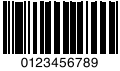 Encodes any even number of numeric characters.
- Encodes data in the width of both the bars and spaces, resulting in higher-density encoding.
MSI/Plessey, aka Modified Plessey
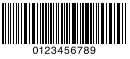 Used primarily to mark supermarket shelves for inventory control.
- MSI is a continuous, non-self-checking barcode.
2-D matrix codes
- Data is encoded as black and white “cells,” or small squares, arranged in either a square or rectangular pattern.
- Ability to encode larger amounts of data.
- The matrix code improves readability and resistance to poor printing.
- Includes redundant data so that even if one or more cells are damaged, the code is still readable.
Data Matrix
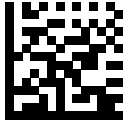 Allows encoding of large amounts of data, up to 2,335 alphanumeric or 3,116 numerical characters.
- Uses an error-correction system to read codes that are as much as 40% damaged.
- Data Matrix codes are made up of black and white cells in a square or rectangular pattern, a finder pattern, and a timing pattern.
MaxiCode
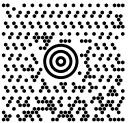 Fixed-size code that holds up to 93 data characters.
- Composed of a central bull’s-eye locator and offset rows of hexagonal elements.
- Created by United Parcel Service (UPS) to allow quick, automated scanning of packages on high-speed conveyor lines. Barcode readers can read a MaxiCode on a carton traveling at up to 550 feet/minute, or 168 meters/minute.
QR Code
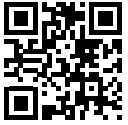 Contains square blocks of black cells on a white background with finder patterns in the top left, top right, and bottom left corners.
- QR was developed with the intention of being used for tracking parts during vehicle assembly.
Aztec
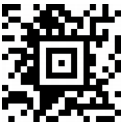 Named after the resemblance of the central finder pattern to an Aztec pyramid, the code is built on a square grid with a bull’s-eye pattern at its center for locating the code.
- Data is encoded in concentric square rings around the bull’s-eye pattern.
- Aztec codes have the potential to use less space than other matrix barcodes because they do not require a surrounding blank “quiet zone.”
Postal codes
- Instead of encoding data in the black bar and white space widths, these codes primarily use the height of the bars.
- Used primarily for numbers.
PostNET
- The POSTNET, or Postal Numeric Encoding Technique, barcode is used by the U.S. Postal Service to automatically sort mail.
- Encodes data in the height of the bars.

Intelligent Mail Barcode (IMB)
- Used to sort and track letters and flats.
- Carries sender’s information.

Stacked linear barcodes
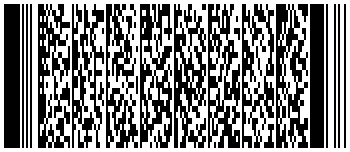
PDF 417
- Ability to store up to 1,800 printable ASCII characters or 1,100 binary characters per symbol.
- It is also possible to break large amounts of data into several PDF417 codes that are linked together.
- In theory, there is no limit to the amount of data that can be stored in a group of PDF417 symbols.
© Rauf Aliev, June 2017
Discussion
Powered by GitHub Discussions — sign in with a GitHub account to join the conversation.