
A note from 2026: This article was published in 2016, when the platform was still branded as hybris. SAP Commerce Cloud has changed significantly since then, especially in cloud operations and security practices, so runtime bean modification tools like this should be validated carefully against your target version and environment.
Overview
This tool is part of my hybris Runtime Developer tools package. It shows one-page, all-in-one information about hybris beans using the command-line interface.
Features
- REST API and console tool with a common configuration.
- Shows information about a specific bean.
- Changes bean values (!) on the fly.
Usage
Command-line interface
The command-line app is a console wrapper for the API. See the API for details.
Usage:
Change the value of a property of a bean to a value:
./hybrisBeans.sh -b bean -n property -v valueShow all hybris beans:
./hybrisBeans.shParameters
| Parameter | Description | Example |
|---|---|---|
| –? | Help and available options. Only for the console version. | |
| bean (-b) | Shows/updates the bean information. | bean=myProductRaoPopulator |
| propertyname (-n) | Name of the bean property to change. | propertyname=categoryService |
| propertyvalue (-v) | New value of the bean property. | propertyvalue=<defaultCategoryService>propertyvalue=13 |
Changing any property of any bean:
#bash hybrisBeans.sh -b myProductRaoPopulator -n categoryService -v "<defaultCategoryService>"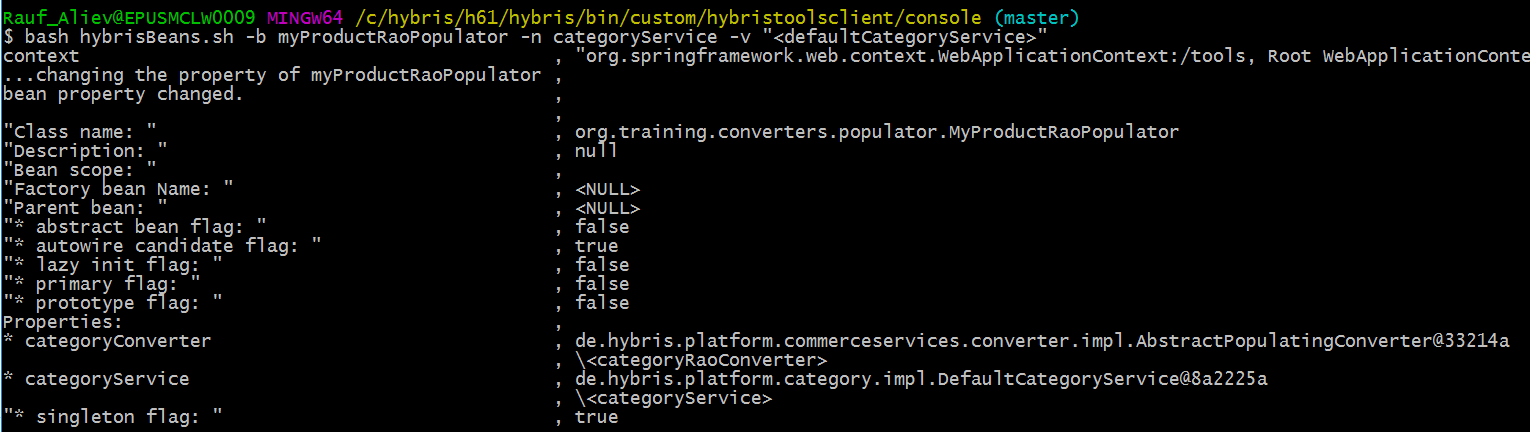
You can see the list of bean methods here:
#bash hybrisBeans.sh -b indexerService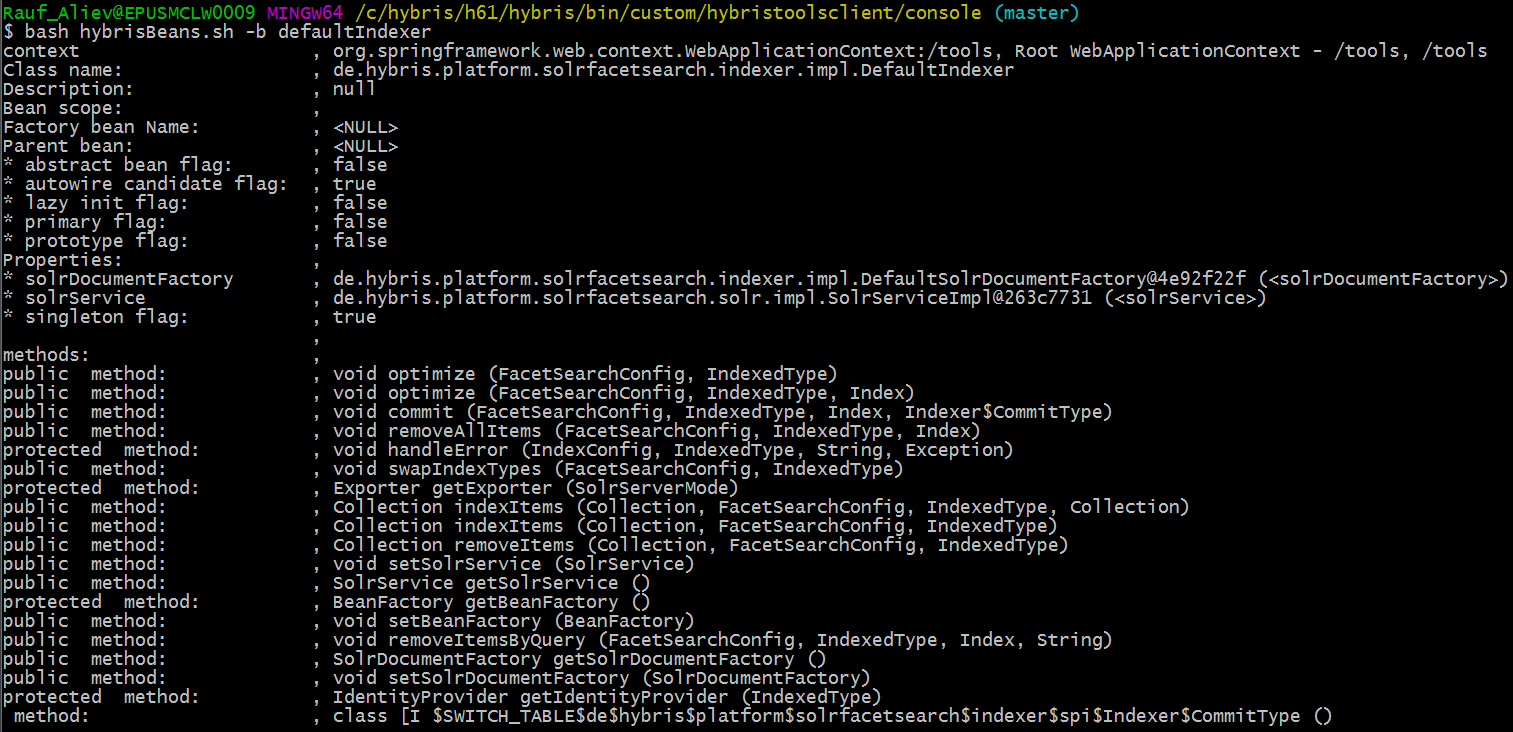
API
curl "https://electronics.local:9002/tools/beans/bean/myProductRaoPopulator?propertyName=categoryConverter&propertyValue=<defaultCategoryRaoConverter>" -k 2>/dev/nullVideo
Limitations
- You can change the value of the bean property only if the bean has a setter for this property. For example, the bean “multipartResolver” (
org.springframework.web.multipart.commons.CommonsMultipartResolver) has a property namedmaxUploadSizethat cannot be changed using my utility because the Spring class doesn’t have a setter. - The current implementation supports properties of two types: Strings and References. Properties of List or Map types are not supported yet.
- Sometimes bean classes use parameters only at first load. You will be able to change the parameter values, but the initial value will be used anyway.
Download
The extension is available by request. E-mail: Rauf_Aliev@epam.com. Skype: rauf_aliev
© Rauf Aliev, August 2016
Discussion
Powered by GitHub Discussions — sign in with a GitHub account to join the conversation.