
Introduction
A synonym is a word that has the same or nearly the same meaning as another word or other words in a language. In any search engine, handling synonyms is very important. In SAP Hybris Commerce, synonyms are handled by Apache Solr, the built-in search engine. There are issues with the default implementation. This article explains how to overcome them.
Phrase search is a feature that moves documents (products, in our case) higher in the search results if their attributes contain the exact request. The default implementation is also very basic.
In this article, I present my PoC that demonstrates better synonym handling and enhanced phrase search in SAP Hybris Commerce.
Challenge
Synonyms
There is a well-known limitation in how Solr works with synonyms. One-word synonyms are processed nicely, but when we try to use multi-word synonyms, we definitely run into issues. Simply put, multi-word synonyms do not work as expected. There is a reason for that: the synonym module starts working after the tokenization part is done.
Let’s look at an example.
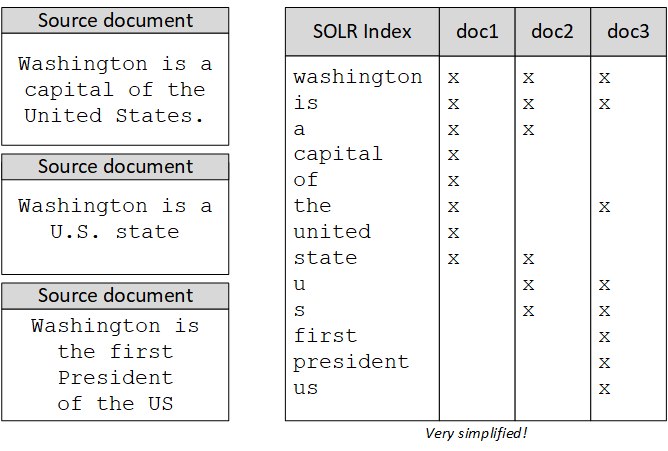
There are two ways Solr handles synonyms: index-time and query-time synonym processing. In the default hybris configuration, both are configured in the same way.
In the example above, we may want to create the following synonyms:

I would like to highlight the following points:
- Synonyms may be equivalent in terms of their role (primary/secondary).
- Synonyms may have more than one word on both sides.
- Synonyms may have stopwords (such as articles) and special symbols (such as punctuation marks) as an integral part of them.
The Solr built-in synonym processing module works with the token stream. There are two modes of synonym processing OOTB:
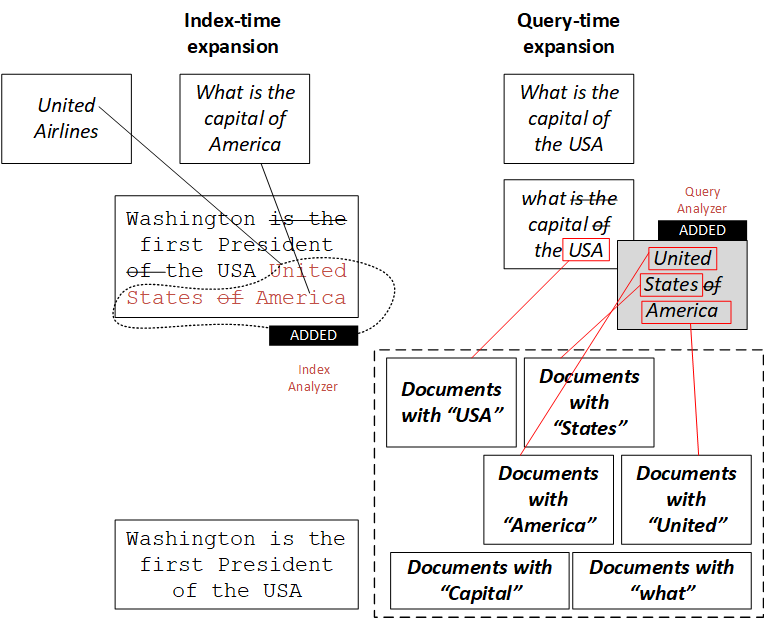
Query-time expansion
Query-time expansion simply replaces words in the query token stream with their synonyms.
However, it has negative side effects. First, the IDF of rare synonyms will be boosted, causing unintuitive results. Documents containing rare words appear higher in the Solr search results. This is quite natural, but with synonyms it may confuse the user by putting documents with the original high-frequency word deeper in the search results.
The details of the problems are explained well in this article.
Index-time expansion
Index-time synonym expansion is an alternative to query-time expansion, but expanding synonyms at index time has two major problems.
The first problem is called “sausagization”. The roots of this problem are in the way Lucene works.
For example, if index-time synonym expansion USA => United States is performed on a document:
the first President of the USA is Washingtonit will be indexed with United and USA occupying one position, and States and Washington occupying the next position (see below). As a result, the phrase query The first president of the United States of America will not match this document, and the phrase query United is Washington will improperly match.
| 1 | 2 | 3 | |
|---|---|---|---|
| Position: | 1 | 2 | 3 |
| Original: | USA |
is |
Washington |
| Synonyms: | United |
States |
Of |
Second, to modify index-time synonym expansion, you have to completely re-index. For large indexes, this may take too much time.
To demonstrate how index-time expansion works, let’s index the following document:
{ id : "doc1" , description_text_en: "Washington is the first President of the USA"}and add the following synonym rule to Solr:
USA => United States of AmericaThe list of terms for the field description_text_en will have the following terms:
first, of, presid, state, unit, washington, america(The words are shortened by the stemming filter; stopwords are removed by the stopwords filter; of is not a stopword in the default configuration; synonyms are added instead of usa, so “USA” is not in the index anymore.)
If query-time expansion is not active, “USA” will lead to zero results because there is no such term in the document, but “America” will. With query-time expansion on, “usa” will work as well.
Phrase search
In hybris, phrase matches can be boosted, and the phrase boost factor is configurable. However, there is an important point about what the phrase is. If you search for “the first president of the United States”, the document containing these words can be boosted (placed higher in the search results) only if the document contains all these words in the exact order. For example, if you use the phrase “Washington is the first president of the United States”, the document containing the whole phrase will take the first position, which is the right thing, but the documents containing parts of this phrase (“first president”, “president of the United States”, etc.) will not be boosted at all.
Solution
In my solution, query processing was moved from Solr to hybris. In Solr, the filters are off in both indexing and query modes.
The module adds partial phrases to the query and their synonyms.
For example, for the query:
the first President of the USAthe hybris OOTB builds the query for Solr using the following approach:
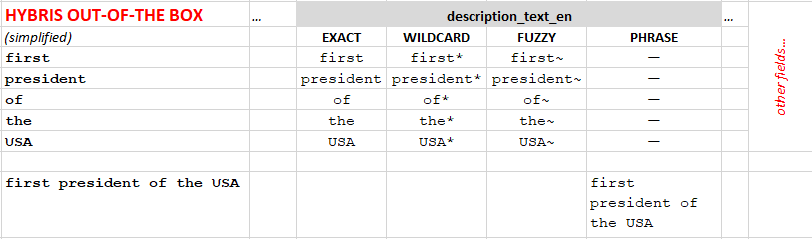
You can see that only the whole query is considered a phrase. There is no such thing as a “sub-phrase” with a higher boost factor.
In my solution, I create sub-phrases for the request:
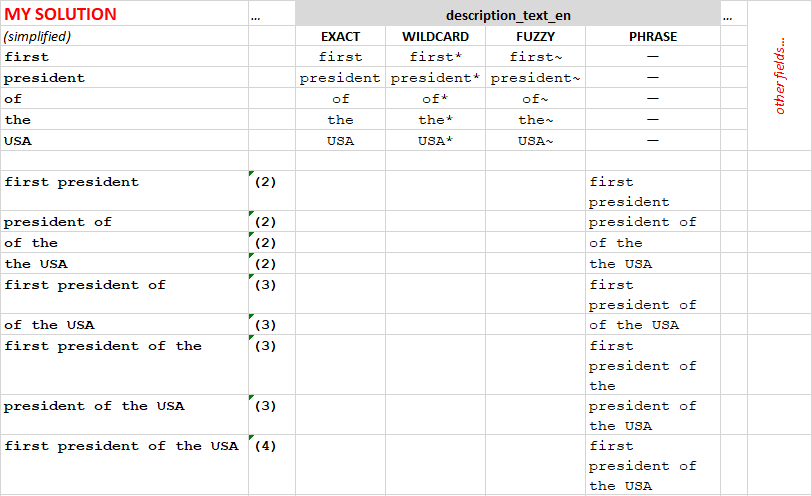
After that, my code finds exact synonym matches for the words and sub-phrases and creates additional phrases for the search:
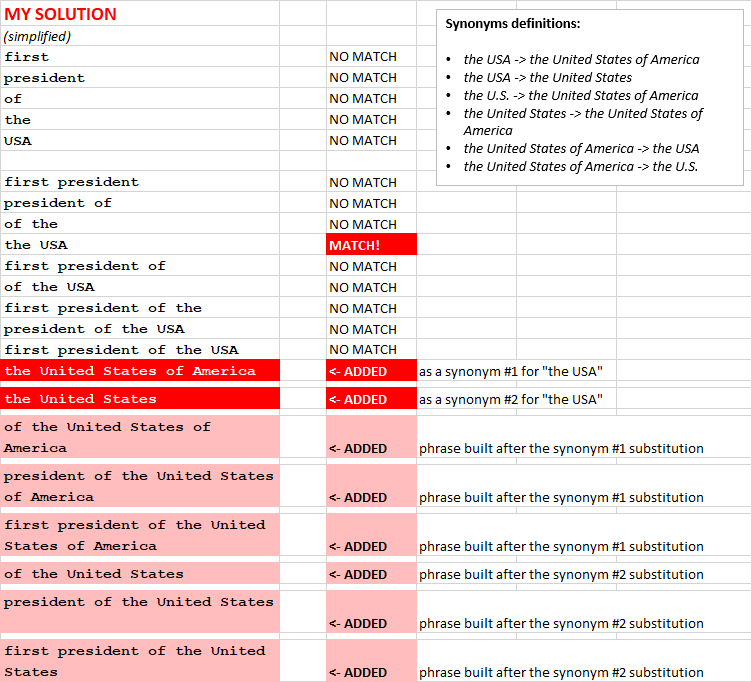
In the example above, “the USA” was found in the list of synonyms, and new queries were added to the list. Note that these extra phrases contain the synonyms in different combinations with the words from the original phrase (“the USA”).
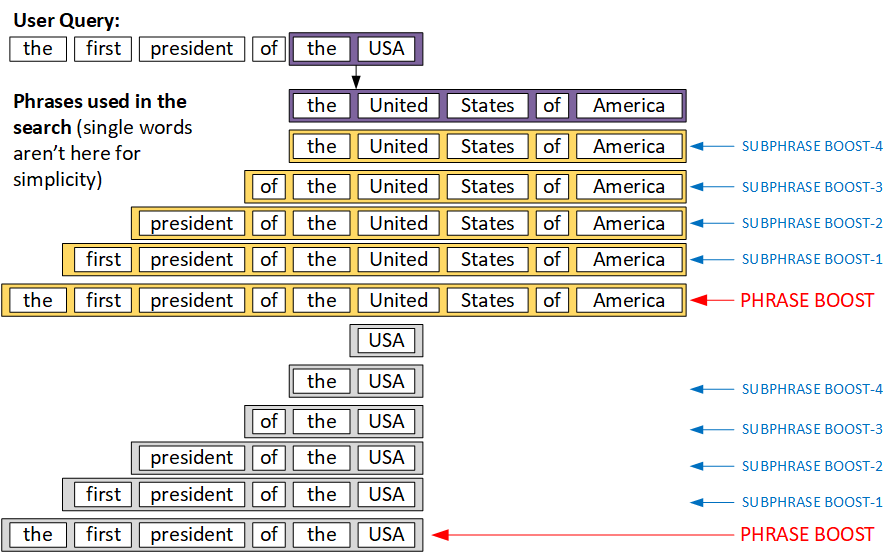
The phrase matches (last 17 items) have higher boost factors than word matches (first five items). Among the phrases, longer phrases have higher boost factors than shorter phrases.
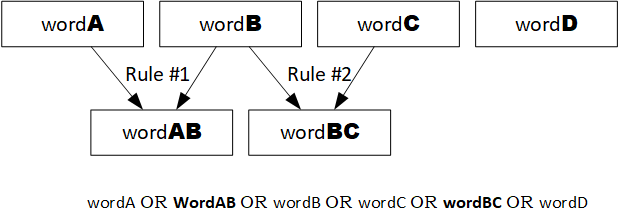
There is a special case when the synonyms overlap:
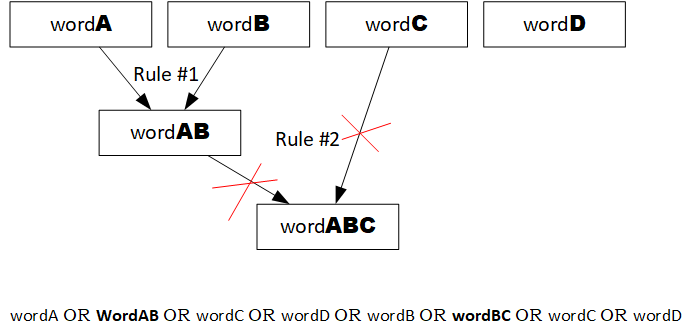
However, replacements cannot be used to create new replacements:
Examples
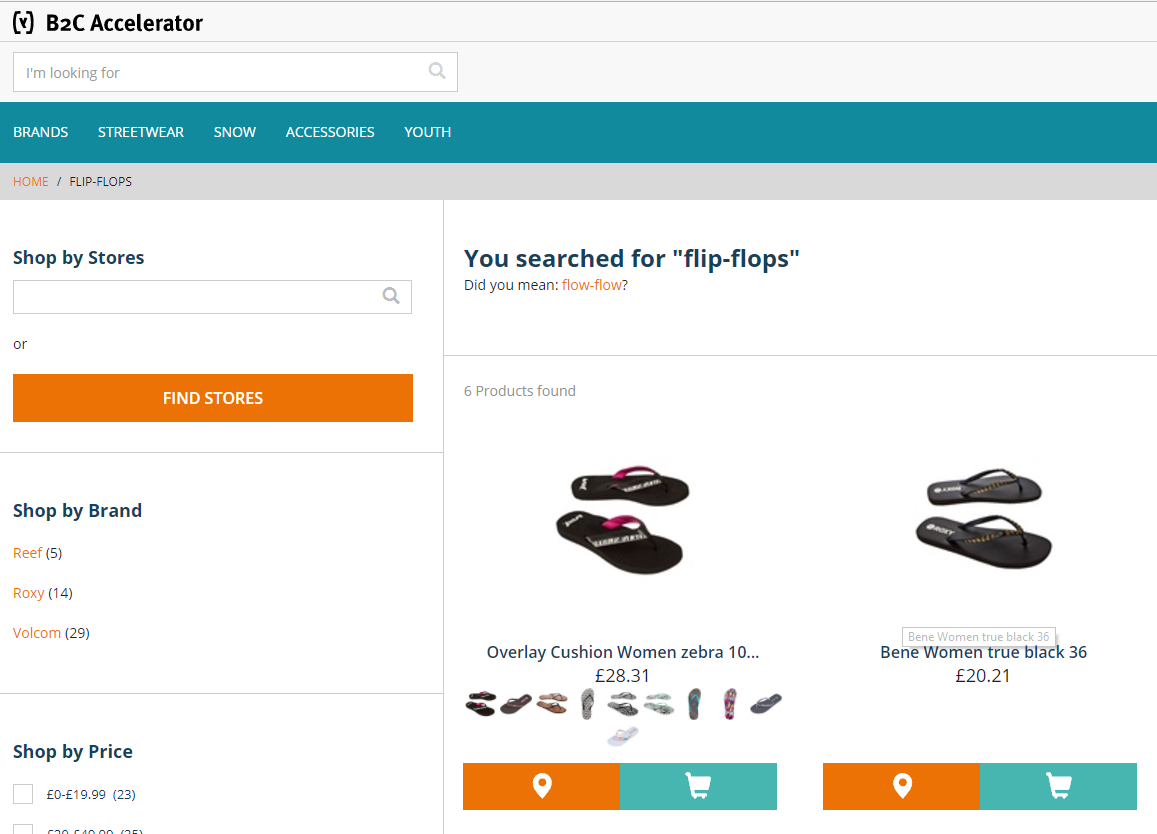
In the example below, there is a rule saying that “Flip-flops” (or “flip flops”) and “Sandals” are synonyms. “Flip-flops” contains two tokens (two words -> one word), so the OOTB synonyms will not work. In this solution, the custom query contains both “sandals” and “flip-flops” (or “flip flops”).
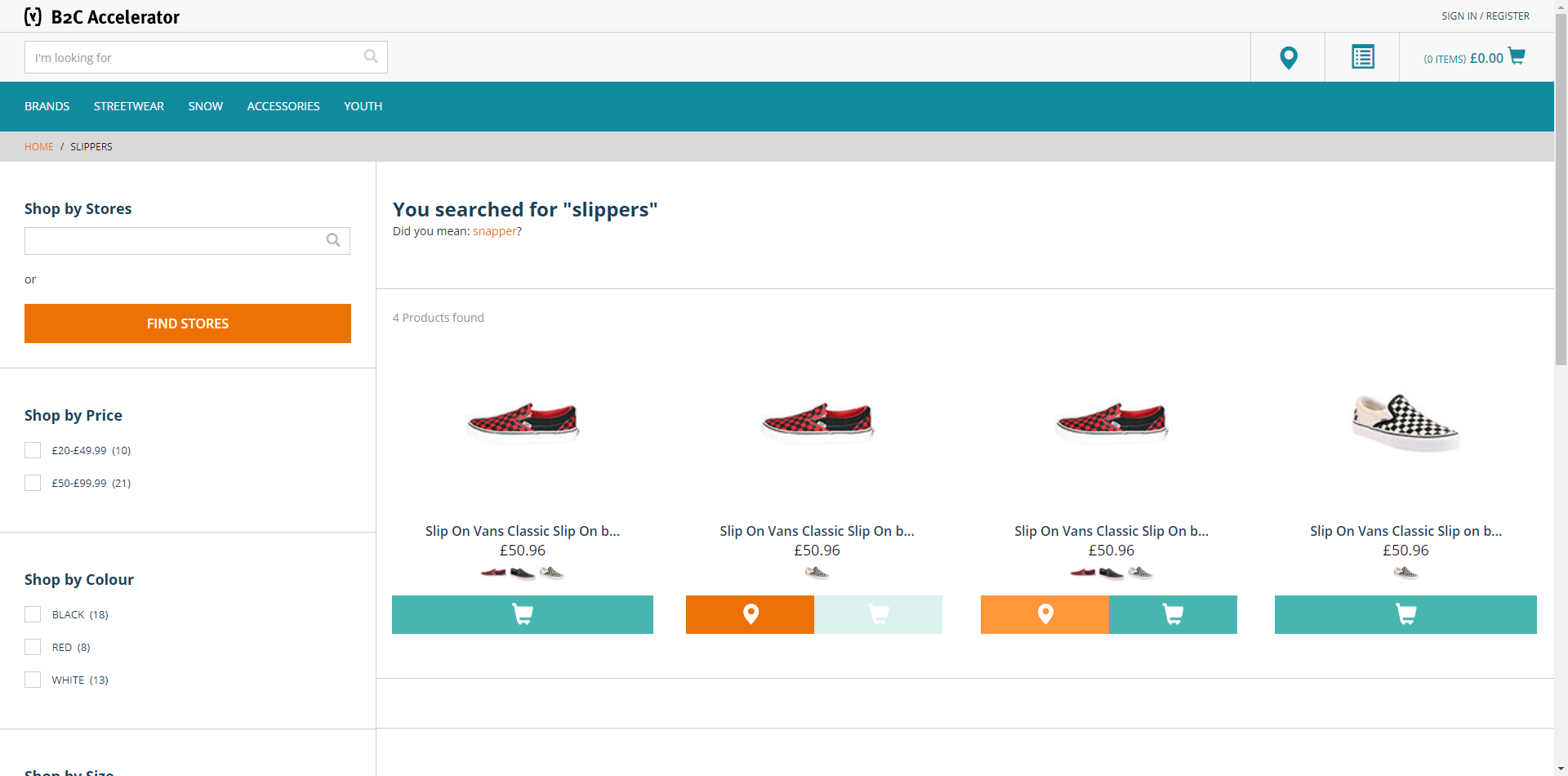
In the example below, “slippers” and “slip on” are synonyms (here we see the rule “one word -> two words”):
Phrase search
In the example below, I demonstrate how sub-phrase search works. If you search for “men t-shirt logo”, in the default hybris configuration, you will get all products containing “men”, “t-shirt”, and “logo”, but these products will be sorted by relevancy, taking into account how many times these words were used in the product attributes and how rare they are.
In the default configuration, you will have the following products for the request “men t-shirt logo”:
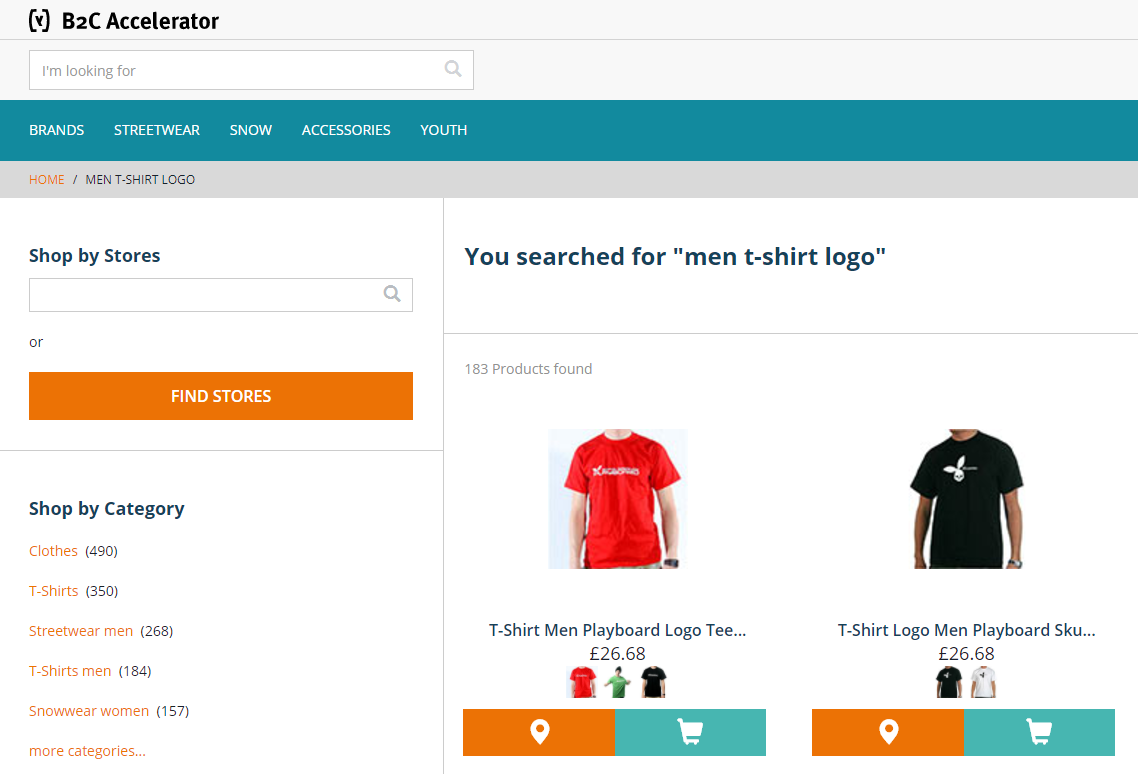
Note that the black t-shirt is in second place. In my solution, this product is higher in the search results because its name contains “t-shirt logo” as a sub-phrase of the original request (“men t-shirt logo”). (This example is not the best because the demo database that comes with hybris is small and simple; I cannot use anything other than what hybris provides OOTB.)
Video
© Rauf Aliev, August 2017